

Turn on Continuous Intelligence
Open Measure & Improve
In the workspace sidebar, under Governance & admin, select Measure & Improve.
Turn it on
In the Continuous Intelligence section, turn on Use Continuous Intelligence.
Name your bot accounts
In Identify bot accounts, list other bots in your repositories, separated by commas, for example
dependabot[bot], renovate[bot]. Their activity isn’t counted as people’s work, so your metrics reflect what your team does. Overcut recognizes its own bot automatically.Choose the model for AI checks
In LLM model, choose the model that reads review threads, ticket replies and evaluation questions, or leave Workspace default model.
Save
Select Save changes.
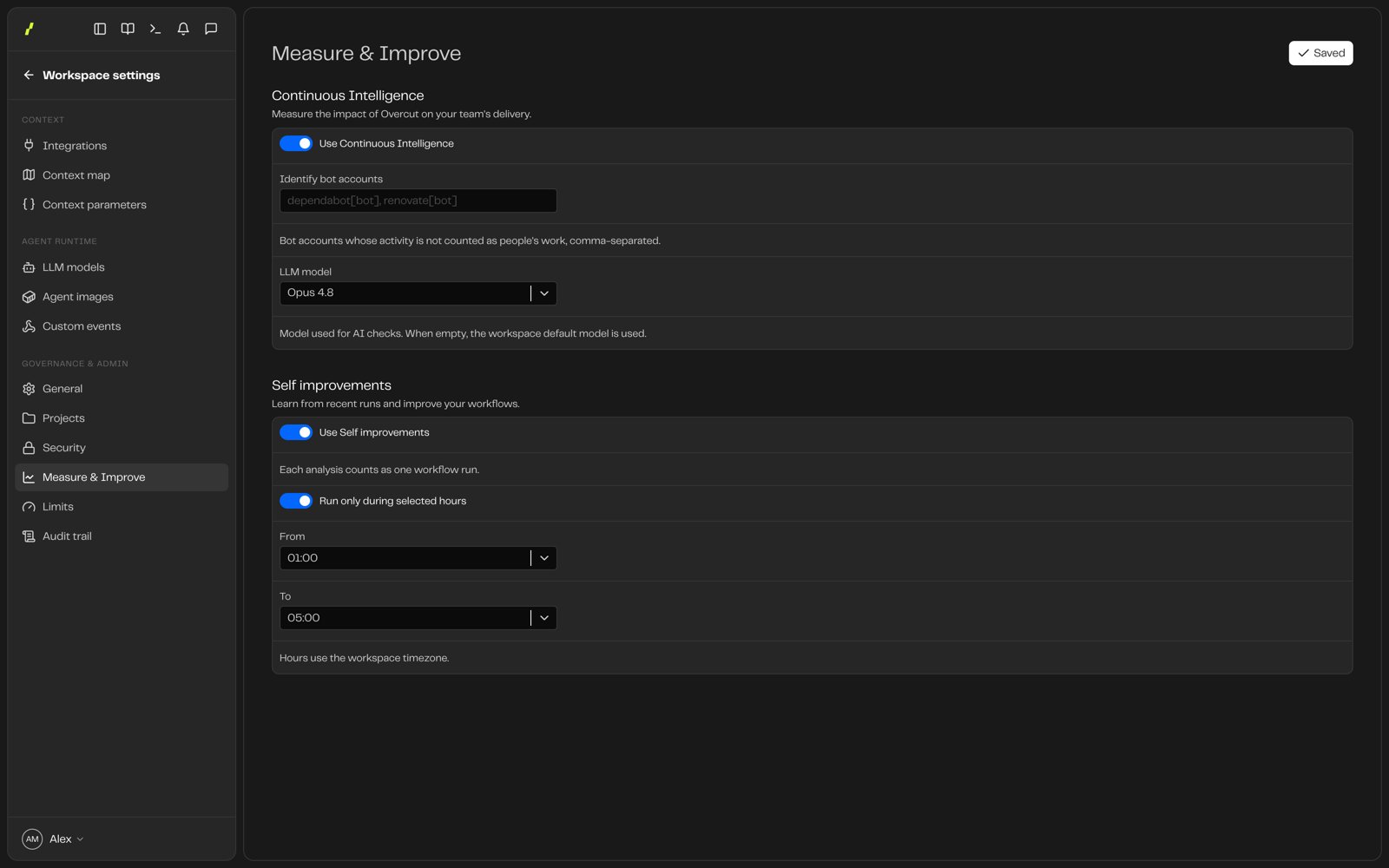
The Measure & Improve page.
- Every workflow’s outputs are followed to their outcome. See Workflow Impact.
- Workflows can use online evaluation to score their runs.
- Each workflow gets an Improve tab, and each project’s dashboard gets an Impact section.
- New repositories start collecting pull request activity automatically.
Choose which repositories feed delivery metrics
Project Impact shows your team’s pull request delivery, including pull requests people open. It needs activity from your repositories, which you turn on per repository. Repositories you add while Continuous Intelligence is on are included automatically.Open the repository
In the workspace sidebar, select Integrations, then your Git organization, then the repository.
Turn on data collection
In Data collection, turn on Use data collection.
Save
Save the repository. Overcut loads the last 90 days of pull request history, so your metrics have a baseline from day one, and then keeps up as new activity happens.
Leave a repository out of a project’s stats
Some repositories would skew a project’s numbers, such as a sandbox or a mirror. In a project that uses Selected repositories only, you can leave one out:Open the project's repositories
Open the project, then go to Settings > Repositories.
Edit the repository
Select the edit icon on the repository’s row.
Turn off Count in project stats
Under Stats, turn off Count in project stats, then save.
Self improvements
The same page has a Self improvements section, which works with or without Continuous Intelligence:- Use Self improvements lets every workflow learn from its recent runs.
- Run only during selected hours keeps that learning to a daily window, for example 22:00 to 06:00 in the workspace timezone.
Usage
The AI checks behind Workflow Impact and online evaluation, and Self improvements reviews, use model tokens:- Online evaluation tokens are included in the evaluated run’s total.
- Workflow Impact checks, and generating or testing evaluation questions, are recorded on the workflow.
- Each Self improvements review is its own run and counts as one workflow run.
Related
- Continuous Intelligence: what the module measures and where to find it
- Repositories: register repositories and choose a project’s repositories
- Token Usage Analytics: read token usage by model, workflow and agent